Wednesday, June 15, 2022

Putting the Pedal to the Metal to Share Inclusive Learning and Design!

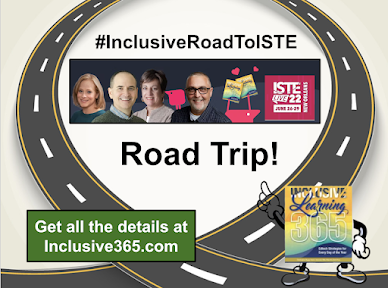
 Excited to share about an epic adventure the four co-authors of Inclusive Learning 365 have planned. It's always an experience attending #ISTE, one of our favorite conferences. So we had to be a force for inclusive learning and design and have planned a road trip from TextHelp Headquarters in Woburn, MA all the way to New Orleans for #ISTE.

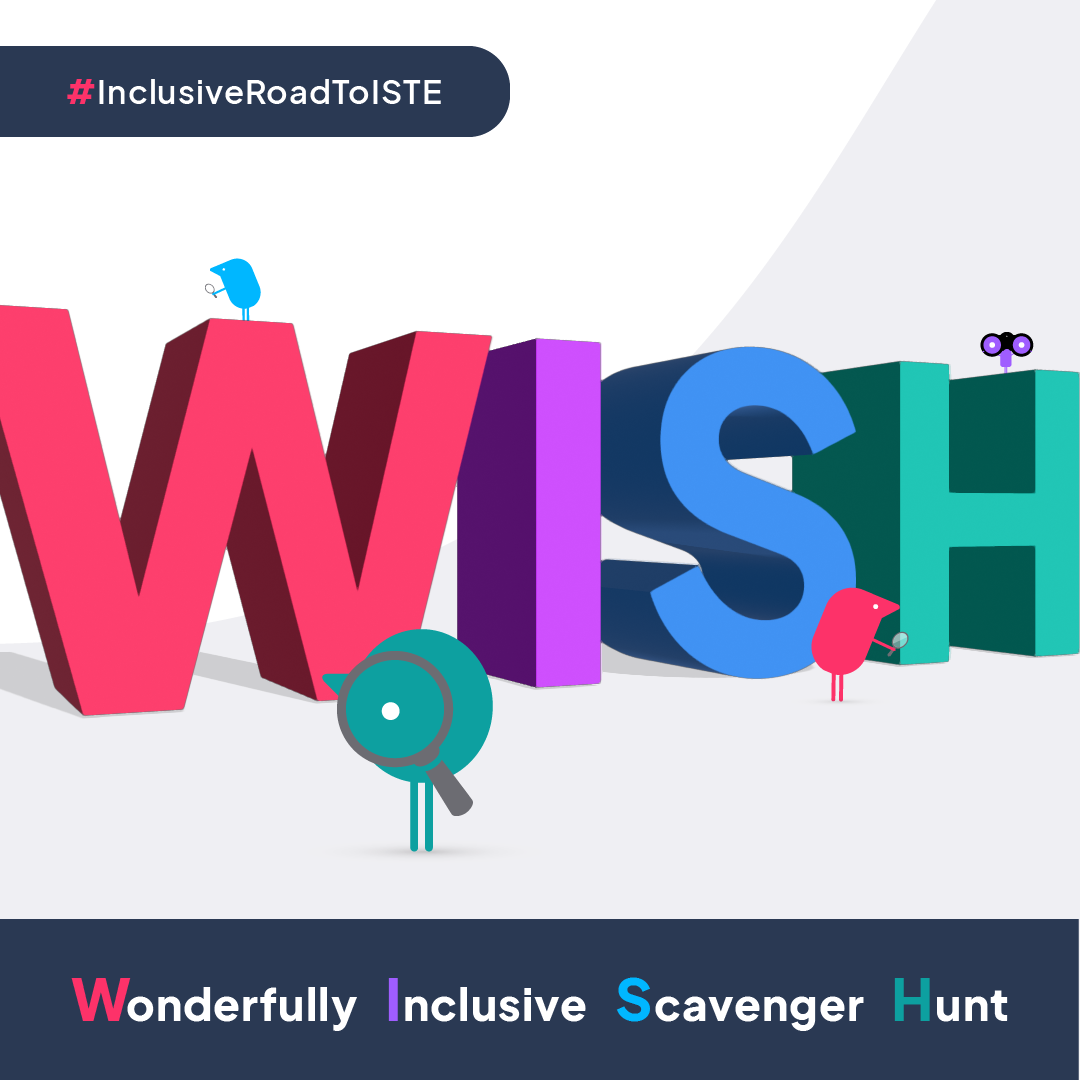
Our mission is to accelerate awareness of inclusive strategies among educators, everywhere! We need you to add your favorite traveling songs to our Spotify playlist, give us podcast ideas and participate in WISH (Wonderfully Inclusive Scavenger Hunt), and of course, spread the word!

To learn more, check this out.


#ISTElive #InclusiveRoadToISTE #EdTech #inclusivedesign #educationalleadership

Sunday, June 12, 2022

#InclusiveRoadToISTE!


Register and join the fun with the co-authors of Inclusive Learning 365 as we share more details about the #InclusiveRoadToISTE!


Thursday, June 09, 2022

Road Trip to ISTE!

We are excited to announce that we (the four co-authors of Inclusive Learning 365: EdTech Strategies for Every Day of the Year) are going on a ROAD TRIP! 

We want to spread the gospel of Inclusive Learning to educators everywhere. What better way than to have an epic adventure with my besties on a road trip from Boston to the #ISTE22 conference in New Orleans at the end of June!


Stay tuned for more info. There's lots to share and look for more information this next week. 

In the meantime, check out the website and the details here

 We are putting the pedal to the metal to accelerate awareness of inclusive strategies at ISTE 2022!

Friday, August 20, 2021

Ten Minute Teacher Podcast with Vicki Davis - 365 Inclusive Learning Strategies

Image of Karen Janowski on right side with text that says 365 Inclusive Learning Strategies that Help every child.
Excited to share this podcast recording with Vicki Davis, Cool Cat Teacher. Loved discussing Inclusive Learning Strategies with Vicki, another passionate educator who makes a huge difference!  

365 Inclusive Learning Strategies to Help Every Child @coolcatteacher


Tuesday, May 25, 2021

Learners are Amazing

You've heard this issue before. A parent is frantically trying to help their child receive the assistive (inclusive) technologies they need to independently access content or demonstrate their learning. But there is pushback....

I won't bore you with the details of the denial of the tools or the pushback.  Instead, let me share with you how resourceful and resilient the student was. 

The student needed access to an accessible version of the book the class was reading to bypass her reading decoding and fluency challenges. She searched on her own and found the book on YouTube with human narration and discovered Closed Captioning on her own to follow along with the audio supports! 

She was thrilled to share this discovery with her mother who shared the strategy with me, an excellent approach that allowed her to participate in class discussions and have independent access to the book. 

I've written about turning on closed captioning in videos in a previous blog post. How fantastic when a learner discovers that strategy on their own and uses it to bypass their learning challenges! What an incredibly resourceful learner whose initiative should be applauded and encouraged! 

Example of customized Closed Captioning

Check out how to turn on and customize closed caption/subtitles in YouTube.

Do you have stories to share about learners who thrill you with their creativity and ingenuity despite the presence of obstacles and learner variabilities? Please share in the comments. 


Tuesday, January 19, 2021

Inclusive Dr. Martin Luther King, Jr Resources to Reach All Learners (Middle and High School)

     As we teach the significant work of Dr. Martin Luther King, Jr, it is essential to provide resources that support all learners. CommonLit, a free digital tool, offers a variety of inclusive instructional materials to commemorate his important contributions to society. It includes the following embedded scaffolded supports:

  • read aloud (text to speech) features
  • ability to adjust the font size, 
  • side-by-side translation into thirty-three additional languages
  • ability to highlight and/or add annotations,
  • guided reading mode with additional supports to help readers better understand the text
  • paired texts to provide background information, build knowledge and provide context
  • embedded definitions of more difficult vocabulary
  • related media resources
The short video below demonstrates several of the features. 

    There are texts supporting all content areas for working with learners in grades three through twelve. I highly recommend CommonLit to add to your inclusive instructional materials toolkit. 


Monday, April 13, 2020

Awesome Tools for Connecting With Your Learners During Remote Learning

The ability to communicate and connect with your learners with ease is essential during this time of remote learning. You know how important it is to build community and reduce stress and anxiety, even from a distance. But how is that possible when you are no longer able to be in the classroom with your students? The loss of face to face connections is disruptive and difficult, especially for some of our youngest learners. 
There are options that can help. Consider trying one or more of these tools to reach out to students so they can see you and hear your voice, repeatedly, if necessary:


1. Flipgrid - Flipgrid allows you to make "Shorts." "Shorts allows you to use the power of your camera to share videos with anyone, anywhere!" This is especially important as a quick and easy way to reach out to your students. Learn more here
2.  SeeSaw - SeeSaw allows you to quickly create a video announcement to send out to your students and families. To do this, Select Add (+) > Send Announcement > Add Attachment, Record your Video and then send it out to your students and families. 
3. Clips iOS App - One of the most fantastic, fun ways to send out a message to your students. It can even automatically add closed captioning in any language for your ELL students. Check this out if you haven't ever explored it

4. BookCreator - Book Creator offers the opportunity to embed videos in a book you create and share with your students. Book Creator has made collaboration available at no cost for the rest of the school year. There are unlimited ways to use this feature to help your students connect with you and each other. 

5. Embed a video message in any presentation tool you use such as Google Slides or PowerPoint in Office 365 and share it with your students using Google Classroom or Microsoft Teams. 

You may also offer office hours to offer synchronous connections with your students. Asynchronous contact can be just as vital for check-ins and positive messages.
Please share any other ideas you are using. We are all in this together, sharing our great ideas to reach all learners!

Wednesday, June 05, 2019

Technology for Specific Learning Disabilities - Save the Date - August 26th

Recognizing the need for a specialized conference addressing the unique needs of learners with specific learning differences, Mike Marotta and I have decided to pioneer a new conference and you are invited to attend. IDEA defines SLD as follows: 
Specific learning disability means a disorder in one or more of the basic psychological processes involved in understanding or in using language, spoken or written, that may manifest itself in the imperfect ability to listen, think, speak, read, write, spell, or to do mathematical calculations, including conditions such as perceptual disabilities, brain injury, minimal brain dysfunction, dyslexia, and developmental aphasia.
Disorders not included. Specific learning disability does not include learning problems that are primarily the result of visual, hearing, or motor disabilities, of intellectual disability, of emotional disturbance, or of environmental, cultural, or economic disadvantage.
With this in mind, we have organized the first annual Technology for Specific Learning Disabilities (TSLD) conference which will be held August 26th at the Four Points Sheraton in Wakefield, MA (just north of Boston). The audience is innovative educators or those who would like to think outside the box to reach every learner. We hope to see many General Educators, Special Educators, OTs, SLPs, AT Specialists, Innovation Specialists, and Instructional Technology Specialists attend the event. 
Save the date and start the new school year inspired to implement a new educational technology toolkit designed to reach all learners with SLDs for the 2019-2020 school year. 

To learn more and register, please visit the TSLD website

Wednesday, December 19, 2018

Just Because....

Just because you don't know how to use BookShare or Learning Ally doesn't mean your students don't need these resources to independently access grade-level books.

Just because you read all text to your developing (struggling, dyslexic) readers doesn't mean this promotes independence.

Just because you are a "(insert preference) district" doesn't mean your students will not need access to a variety of devices and features as part of their free and appropriate education (FAPE).

Just because you are a "Chrome district" doesn't mean your students will not need access to iOS devices for specific unique features which promote student learning, success, and independence.

Just because you are a "Microsoft district" doesn't mean your students will not need features of Google Docs/Drive/Classroom or features in iPads.

Just because you may be comfortable with paper worksheets and holding books doesn't mean that's what works best for your students.

Think different. Your students depend on it.

Monday, November 26, 2018

Accessing BookShare Texts

My last blog post was all about Bookshare - who qualifies, how to enroll students, how to use the digital text repository (now with over 671, 000 books!), and how to provide your students with their own "library" of preferred books within the website. It is important to know what options there are to access the digital text. The website offers information here.

I would like to point out a few features and tips that you may miss if you are unfamiliar with the read-aloud tools. The first option is the Bookshare Web Reader. This is a quick and easy way for a student to get immediate access to their customized bookshelf created by a teacher using the Read Now feature. Many schools offer students access to Chromebooks. Unfortunately, the text to speech voices installed in Chromebooks are often not the highest quality. Instead, use the Read & Write for Google Chrome Extension combined with the Bookshare WebReader.  There are excellent
voices available using this free tool which offers dual color highlighting for students as they follow along with the text. It is possible to change the voice and voice rate setting. This method can work well during silent reading time (with earbuds).

Voice Dream Reader icon

A more comfortable option, if you like to curl up with an iPad, is the use of either the Voice Dream Reader ($14.99) or Dolphin Easy Reader (free, with in-app voice purchases) apps. Voice Dream Reader is absolutely the best option due to it's numerous customizable features and advanced visual settings. You can learn more here. In addition, it is possible to highlight text and add notes and extract the highlights and notes to a Google Doc or other app. This can be especially helpful when students are looking for evidence within text.
Dolphin Easy Reader icon
Dolphin Easy Reader has many customizable features and is an excellent choice as well. One of the options it offers which is unique when considering read aloud/text to speech tools is the ability to add text notes AND voice notes. This can work well for students who want to leave a quick comment or reminder or use other active reading strategies.

I hope this information helps you in providing students what they need.

Wednesday, September 26, 2018

Bookshare: A Necessary Resource for your Students with Print Disabilities

We are several weeks into the new school year and I want to make sure all your students who qualify have been provided membership to an outstanding free resource. Have you signed them up for Bookshare.org, a digital library of over 656,000 titles and counting? If not, it has NEVER been easier to enroll students who qualify.

Who qualifies for Bookshare.org membership? Anyone who has a print disability or significant reading barrier as defined here. To get started, check out the Training and Resources link. Then explore the Educators Get Started detailed step by step guide. It is excellent, no need to create your own guide, unlike in the past.
Bookshare added a Reading Tool Wizard to help you identify the best device to use when accessing Bookshare books. Easily assist your students as they determine the optimal device to use.

Let's be honest; how many students who struggle with print disabilities, especially reading disabilities, enjoy reading books? Let's promote reading enjoyment and a new incredible feature encourages that. As always, it is still possible to search for a specific book. Additionally, Bookshare has added Special Collections; you can find out the preferences of your students and then assign books from the Special Collections. When they log-in, all the books that are part of that collection will show up for them. Students then select a book "off their bookshelf" and decide what they would like to read. Offering collections of selections is invaluable, as research shows book self-selection is the best indicator of reading success.

There are currently 307 collections ranging from ALA Award Winners - Children's and Young Adult, to the Magic Treehouse series to Super Heroes to the Survivor series by Erin Hunter. There is something for any struggling reader with whom you work.

Use this post to help you enroll your students who qualify. It has never been easier to provide access to grade level content.

Friday, April 27, 2018

Changing the Default Settings in Google Docs

Here's a short video I created to demonstrate how to change the default setting in Google Docs. It's not an intuitive process so make sure you watch it and share the technique with all your students.
Why?
Three reasons.
  1. The defaults are not appropriate for most students. Who likes Sans Serif? Who works with font size 11 and how about the spacing? Our students need a larger size. The younger the student the larger the font size. At a minimum change it to 12 for MS and HS and anywhere from 14 to 18 for elementary school.  Also, let your students customize the font to what works best for them.
  2. More WHITE SPACE. Google defaults to 1.15. Change it to 1.5 or double spacing, especially for elementary age students.
  3. This saves time. Your students may be changing the font, size and spacing when they open Google Docs. They won't have to waste time doing this any longer. Also, what if they forget to change the settings? Customizing the settings works best. 

Hope you share this tip with all students!

Wednesday, July 12, 2017

Challenges

It's been too long.
Can't say I'll be back with regularity but I have to share something I read this morning, eloquently written by Richard Ellenson, advocate for equality and equity for all students.  He writes from a parent's perspective and shares this:
My kid is different than your kid. 
He is sixteen; smart, self-aware, kind, funny, loves his friends, loves the Yankees, loves Broadway even more…. and Apple products even more than that. 
He’s also in a big electric wheelchair. He can’t speak words, and instead he talks using an app on his iPad. He loves big rare steaks but needs help to eat them. When he goes on a date, someone has to accompany him. And, of course, he needs to deal with the big psychological impact of all that – which he does with amazing grace. 
He’s a wonder. 
But not everyone sees that. Instead, teachers are often stopped short by the more obvious manifestations of his disabilities. They don’t see his challenges; they see their own.
 and this:
...It’s not the kids that are disabled; it’s the educational system. But maybe what’s broken isn’t the process, but the belief system: the one that is incapable of processing information like that in this chapter: the one that reacts instinctively to the notion of UDL or inclusion with a tingle in the gut that says, “Hey. I need to be honest with myself. These kids can’t really cut it. And I don’t want to fail…. so how do I change what I teach… not how I teach.” 
How do you change a belief system? What parts of the brain do that?
Read the rest of his words and challenge yourself to be that educator who recognizes the challenges of your students, and not your own. Who implements instructional methods that reach all learners, no matter their variability. Who starts with the belief system that every student can learn.

Learn more by reading Chapter 3, in the book Universal Design for Learning: Theory and Practice.  

Summer is the perfect time to reflect on your own practices and model a love for lifelong learning. Learn how you can reach all learners using principles of UDL, multiple methods of engagement, presentation, and expression. Have questions? Leave them in the comments or email me directly.

Thursday, June 30, 2016

Not all Crutches are Bad

Have you ever heard teachers (or parents) disparagingly call the use of assistive technology a crutch?

Can we still see the "crutch" as a negative when it allows a student to read TEN TIMES faster in HALF the amount of time? True story.

I worked with a high school student who "eye" read ten pages in four days on her own and then used text to speech (VoiceDream Reader) to "ear" read ONE HUNDRED pages in two days. Do the math. That's an impressive difference. And she was independent.

Not all crutches are bad. Let's embrace what works and give all students what they need.

photo attribution: http://fortyfiedbeauty.com/wp-content/uploads/2015/10/stock_crutches_guy_sm.jpg

Thursday, January 07, 2016

The Best Job

Have I ever written that I absolutely LOVE what I do? That the ability to impact students through the use of technology is the greatest job ever? That effective technology implementation removes the obstacles to academic success and promotes independence? That it doesn't matter what a student's evaluation scores show, we still presume competence and can change lives through technology?

I love my job.

Two IEP team meetings this week highlighted what I continually experience.

During the first meeting, the excellent special education teacher shared the results of the implementation of a recommendation I made in the AT Evaluation she had received two days earlier. (She is that good; she wanted to try it BEFORE we discussed the recommendations in the IEP team meeting!) The student struggles with pencil control, letter and number formation and often dictates to a scribe. He completed half the math worksheet using pencil (putting random numbers in correct order). The result was illegible and incorrect. She then gave the student the shared classroom iPad, as she had installed SnapType. He took a picture of the worksheet, cropped it, added text boxes and correctly completed the rest of the worksheet. It was beautiful and CORRECT. Removing the difficulty with number formation reduced the COGNITIVE LOAD and the student completed it CORRECTLY! Not only that, he didn't need any prompts, something he needed constantly to complete his work.

Technology made an instantaneous difference!

The second student I evaluated is a high school student who scored poorly on cognitive testing. With assistive technology, it doesn't matter where evaluation scores fall. Instead, what matters is, what is it we want the student to do but they are unable? How can we use this student's strengths to promote success and independence? This student is highly motivated by and exceptionally proficient with technology. He told me, "Technology has changed my life!" He is so confident with his use of technology he stated, "I could definitely help my ELA teacher with technology because she doesn't use a website." Not only that, he has his own YouTube channel and uploads self-made videos daily!
So let's capitalize on his technology proficiency and confidence and help him use that skill in his role of a student! Fortunately, there is an AT Specialist who works full-time at the school who understands how technology integration strategies promote learning and academic success.

Technology makes a difference!

Are you offering technology to your students with special needs? Or are you withholding it with the belief that remediation is more important? Please reconsider your position - it is essential that accommodation (with effective technology implementation) and remediation occur simultaneously. Help me work myself out of the job that I love, because AT Consultants/Specialists will no longer be needed!

Until that happens, I will continually strive to ensure all students have access to the technologies they need.

Saturday, July 25, 2015

Does (Assistive) Technology Make a Difference?

Does assistive technology make a difference? Don't take my word for it.

Ask the fifth-grade student who typically took four months to read one book and was finally able to read four books in one month because of her use of technology (VoiceDream Reader with Bookshare membership). She recommended books to her friends. How do you think she felt being able to do that for the first time ever?

Ask the high school student  with written expression challenges who received support through the Insert Comments feature in Google Docs. He stated, "I'm getting help when I'm writing instead of after I'm done." 

Ask the high school autistic student who up until that time was dependent on others for being his voice since he wasn't provided with the technology he needed. For the first time, he could use his device and finally tell someone, "Leave me alone!" 

Ask the elementary age student who had a meltdown any time he was asked to write. He used recording technology and was able to independently record his thoughts instead of needing to dictate to an adult (which promoted dependence).

Ask the student who is now able to use vocabulary which reflects his superior language skills when composing text instead of using words that he was able to spell independently. (Word prediction or spellcheck built-in Google Docs)

Ask the student who is now recording his thoughts for the first time instead of having to be dependent on someone else who scribes for him. 

Ask the 18-year-old student who struggled with significant reading issues (reading at a second grade level) but felt successful when he read grade level text by adjust the visual presentation and reading rate to what worked for him. (Very large font size and focused reading screen with only two words on a line).

Ask the ninth grade student who saw the font size in the print copy of To Kill a Mockingbird and dreaded trying to read through the text on his own and then was introduced to a reading app. He listened to the book while he followed the text and described it as the best book he ever read.

Ask the senior in high school who attends a very prestigious school for students with learning disabilities who was introduced to assistive technology the summer before his senior year and asked, "Why didn't anyone show me these things earlier?"

Ask the middle school student who doesn't want to be seen as different but realizes the use of technology makes learning possible. Why is he in an environment where he is "different"? Why don't we make technology available to everyone, embedded, proactive, universal, adjusting to variability within our classrooms? This is Universal Design for Learning.

Ask the brilliant high school student with dysgraphia resulting in illegible handwriting which interfered with his ability to demonstrate his learning in AP calculus. He was introduced to technology which bypassed his challenges and excelled (Efofex).

Ask the student who was given packets and packets of worksheets and information that was paper-based and was provided a device (iPad with specific apps) which stored all his materials. He no longer struggled with managing his materials and kept them organized in folders on his device. No more zeroes for failing to hand in completed assignments.

Does (Assistive) Technology make a difference in the lives of students? It's a resounding, "Yes!" So why don't all students who need it have access to it? I will try to answer that question in another post. 

It is time to ensure all students have access to the technology they need. 

Tuesday, May 26, 2015

The Wonders of Wonderopolis: Great Tool for Universal Design


Have to share about a great tool I just learned about via Twitter and #spedchat. Someone mentioned Wonderopolis. The name intrigued me so I checked out the website and loved what I discovered. Wonderopolis - "Where the Wonders of Learning Never Cease, a place where natural curiosity and imagination lead to exploration and discovery in learners of all ages." What was so exciting? Have you ever wondered:

Why Castles have moats?
Why does it rain?
What is static electricity?
How does a suspension bridge work?
Do frogs freeze?
How is yogurt made?
Why is grass green?
Can chocolate be good for you?

Lots to wonder about and find answers. Students can add their questions to the "Wonder Bank" and vote for their top wonder questions. 

But, what is especially wonderful is the built-in multimedia features and audio supports. There is customizable text to speech added to every article using RealSpeaker, text to speech. There are videos and a word bank with definitions for every article. It is created with universal design features which can benefit all students.

Take a look and share with your families. It's a great site to explore. 

Thursday, January 15, 2015

The Almost Best Collection of Apps and Extensions for Special Education

Do you spend a lot of time searching for the most effective apps/extensions for your students? With thousands to choose from, how do you decide?

The web is filled with collections of recommended apps for special education. Some of the "Best of" lists are better than others. Some are categorized using a system that is difficult to follow. Some Top Ten Apps for Special Education include apps for the widest possible range of special needs, rendering the author's recommendation of the top ten apps meaningless.

Instead, I've compiled helpful collections of resources for educators working with students with special needs. Here are recommendations I believe to be excellent compilations of apps and extensions to use with students with special needs:


  • Friendship Circle Apps - Excellent app reviews and recommendations by category - Communication, Social Skills, Education, Life Skills, Behavior, Speech and Language and Scheduling 
  • Learning Works for Kids -  Well designed and an innovative way to search for apps by Thinking Skill, Learning Skill or Learning Challenge. 
  • Bridging Apps - Extensive Search capabilities, search by keyword.
  • AzTech Crazy for Chrome - A Symbaloo collections of recommended Chrome Apps and Extensions for struggling learners. 
Of course, when considering tool recommendations, it is essential to ask What tasks does the student need to perform that are difficult or impossible? How do we build upon the student's strengths to promote engagement, success, independence and a joy for learning? It's not just about the tool, but for many students, the tool makes things possible. 

Are there any outstanding lists I've missed? Add your recommendations in the comments section. I love to learn from others.


Wednesday, December 31, 2014

Quotes

Our classrooms are the only places where our students still live in the 20th Century. -  Dave Warlick

It is the supreme art of the teacher to awaken joy in creative expression and knowledge. 
- Albert Einstein

Fair doesn’t mean giving every child the same thing, it means giving every child what they need. 
- Rick Lavoie

Spelling is the spoiler of thought.
- Richard Wanderman